Introduction
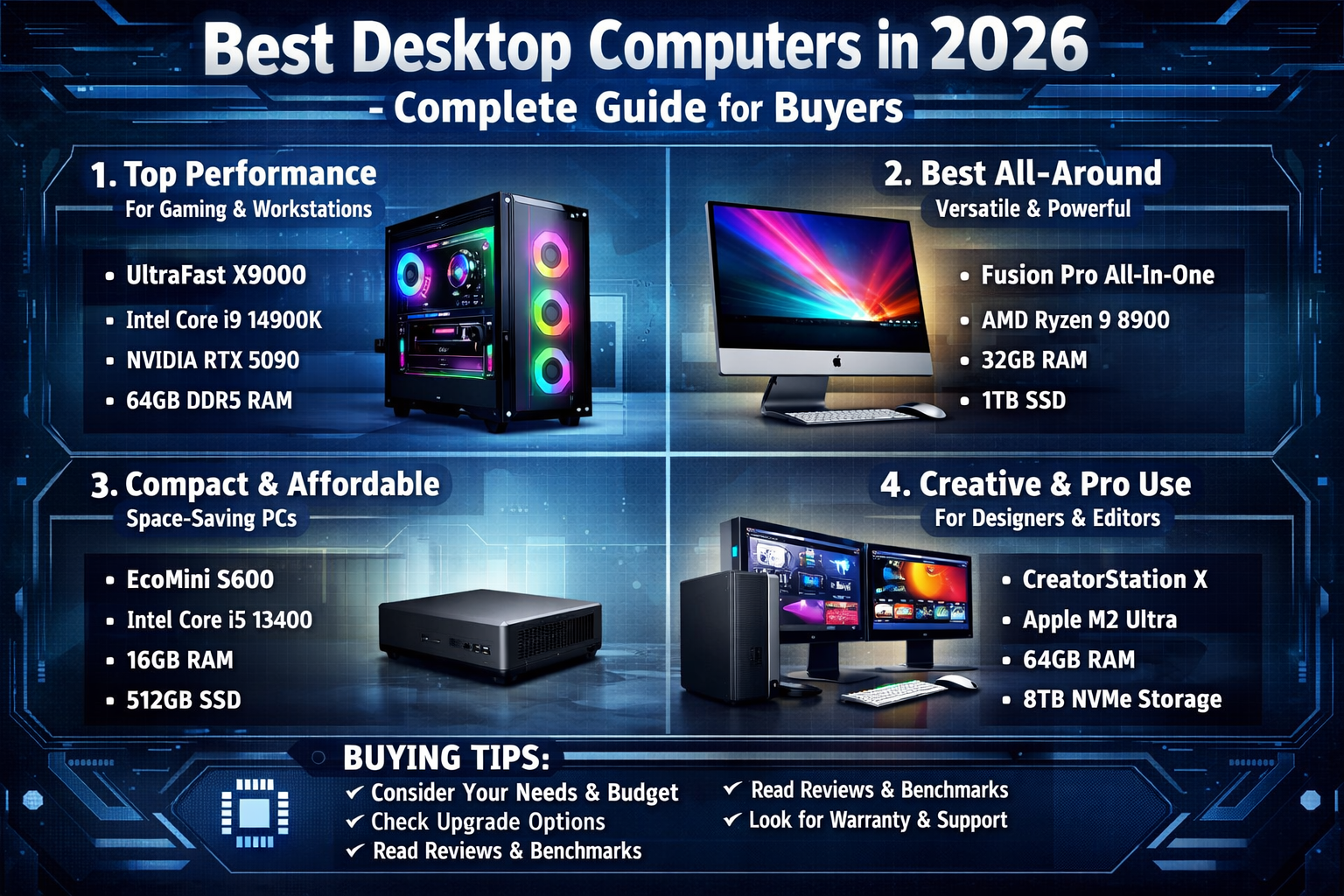
Desktop computers continue to hold a strong position in 2025, despite the growing popularity of laptops and tablets. With unmatched performance, upgradeability, and long-term value, desktops remain the preferred choice for professionals, gamers, and power users. Whether you need a machine for work, entertainment, or creative tasks, choosing the right desktop computer can significantly impact your productivity and experience.
This complete buyer’s guide will help you understand the best desktop computers in 2025, key features to consider, and how to make the right purchase decision based on your needs.
Why Choose a Desktop Computer in 2025
Performance and Power
Desktop computers offer superior performance compared to most laptops in the same price range. With larger components, better cooling systems, and more powerful processors, desktops are ideal for demanding tasks such as video editing, 3D rendering, and gaming.
Upgradeability
One of the biggest advantages of desktops is their ability to be upgraded. You can easily replace or upgrade components like RAM, storage, and graphics cards, extending the lifespan of your system.
Cost-Effectiveness
Desktops often provide better value for money. You can get higher specifications at a lower price compared to laptops, especially when building your own PC.
Types of Desktop Computers
Traditional Tower PCs
Tower PCs are the most common type of desktop. They come in various sizes, including full towers, mid-towers, and mini-towers. These systems offer maximum flexibility for upgrades and customization.
All-in-One (AIO) PCs
All-in-One desktops integrate the computer components into the monitor, reducing clutter and saving space. They are ideal for home users and offices that prefer a clean setup.
Mini PCs
Mini PCs are compact and portable desktops designed for basic computing tasks. They are energy-efficient and perfect for small spaces, though they offer limited upgrade options.
Gaming Desktops
Gaming desktops are built for high performance, featuring powerful GPUs, fast processors, and advanced cooling systems. They are designed to handle modern games and intensive applications.
Key Features to Consider
Processor (CPU)
The CPU is the brain of your computer. In 2025, popular options include:
- Intel Core i5, i7, and i9 (14th/15th Gen)
- AMD Ryzen 5, 7, and 9 (7000/8000 series)
Choose a processor based on your workload. For basic tasks, a mid-range CPU is sufficient, while professionals and gamers should opt for high-end models.
Memory (RAM)
RAM affects multitasking and system performance. Recommended configurations:
- 8GB for basic use
- 16GB for general productivity
- 32GB or more for gaming and professional work
Storage Options
Modern desktops use SSDs for faster performance. Common options include:
- SSD (Solid State Drive) for speed
- HDD (Hard Disk Drive) for additional storage
A combination of both is ideal for performance and capacity.
Graphics Card (GPU)
A dedicated GPU is essential for gaming, video editing, and design work. NVIDIA and AMD continue to dominate the market with powerful graphics solutions.
Connectivity and Ports
Ensure the desktop has sufficient ports, including:
- USB-C and USB-A
- HDMI/DisplayPort
- Ethernet
- Wi-Fi 6/6E or Wi-Fi 7 support
Best Desktop Computers in 2025
Best for General Use
Mid-range desktops from brands like Dell, HP, and Lenovo offer excellent performance for everyday tasks. These systems are reliable, affordable, and suitable for home or office use.
Best for Gaming
Gaming desktops from brands like Alienware, ASUS ROG, and MSI provide cutting-edge performance. Equipped with the latest GPUs and high-refresh-rate support, they deliver an immersive gaming experience.
Best for Professionals
Workstations designed for professionals offer exceptional power for tasks like video editing, programming, and 3D modeling. Apple Mac Studio and high-end Windows workstations are popular choices.
Best All-in-One PCs
All-in-one desktops like the Apple iMac and HP Envy series combine performance with elegant design. They are perfect for users who value aesthetics and simplicity.
Best Budget Desktops
Affordable desktops provide solid performance for basic computing needs. Brands like Acer and Lenovo offer budget-friendly options that are ideal for students and casual users.
Operating Systems: Which One to Choose
Windows
Windows remains the most popular operating system due to its compatibility and flexibility. It supports a wide range of software and hardware.
macOS
Apple’s macOS is known for its smooth performance, security, and ecosystem integration. It is preferred by creative professionals.
Linux
Linux is a free, open-source operating system suitable for developers and tech enthusiasts. It offers customization and strong security features.
Desktop vs Laptop: Which Is Better
When to Choose a Desktop
- You need high performance
- You want upgradeability
- You work from a fixed location
When to Choose a Laptop
- You need portability
- You work on the go
- You prefer an all-in-one solution
In 2025, desktops still outperform laptops in raw power and customization, making them a better choice for stationary setups.
Tips for Buying the Best Desktop Computer
Set a Budget
Determine how much you’re willing to spend. This helps narrow down your options and prevents overspending.
Identify Your Needs
Consider what you’ll use the computer for—gaming, work, or general use—and choose specifications accordingly.
Check Reviews and Ratings
Customer reviews and expert opinions provide valuable insights into performance and reliability.
Consider Future Upgrades
Choose a system that allows easy upgrades, especially if you plan to use it for several years.
Look for Deals
Keep an eye on seasonal sales and promotions to get the best value for your money.
Future Trends in Desktop Computing
AI Integration
AI-powered features are becoming more common, improving performance optimization, security, and user experience.
Energy Efficiency
Manufacturers are focusing on energy-efficient components to reduce power consumption and environmental impact.
Compact Designs
Smaller, more powerful desktops are gaining popularity, offering high performance in compact form factors.
Advanced Cooling Systems
Improved cooling technologies ensure better performance and longer component lifespan.
Conclusion
Desktop computers in 2025 continue to evolve, offering powerful performance, advanced features, and excellent value for money. Whether you’re a gamer, professional, or casual user, there’s a desktop designed to meet your specific needs.
By understanding key features, comparing options, and considering your usage requirements, you can make an informed decision and invest in a system that will serve you well for years to come. With the right desktop computer, you can enjoy enhanced productivity, seamless multitasking, and a superior computing experience.
About the Author